


 Advanced DNS Security
 Prisma Browser
 Unit 42 AI Security Assessment


Executive Summary
We uncovered a High severity security vulnerability CVE-2026-0628 in Google's implementation of the new Gemini feature in Chrome. This vulnerability allows the attacker to tap into the browser environment and access files on the local operating system.
Specifically, this vulnerability could have allowed malicious extensions with basic permissions to hijack the new Gemini Live in Chrome browser panel. Such an attack could have led to privilege escalation, enabling actions including:
- Accessing the victim’s camera and microphone without consent
- Taking screenshots of any website
- Accessing local files and directories
We responsibly disclosed this vulnerability to Google and assisted in remediation efforts, and they released a fix in early January prior to the publication of this information.
Palo Alto Networks customers are better protected through the following products and services:
- Prisma Browser is designed to prevent extension-based attacks like the one uncovered in our research.
If you think you might have been compromised or have an urgent matter, contact the Unit 42 Incident Response team.
| Related Unit 42 Topics | CVE-2026-0628, GenAI, Google Chrome |
AI Browsers: A New Wave of Productivity
The terms “agentic browser” or “AI browser” refer to a new class of web browsers that integrate AI assistants. AI browsers include Atlas, Comet, Copilot in Edge and Gemini in Chrome.
At the heart of their offering is an AI side panel assistant capable of real-time content summarization, automated task execution and dynamic assistance for contextual understanding of the active webpage.
Figure 1 shows Google Chrome’s Gemini Live in Chrome AI assistant summarizing a webpage.
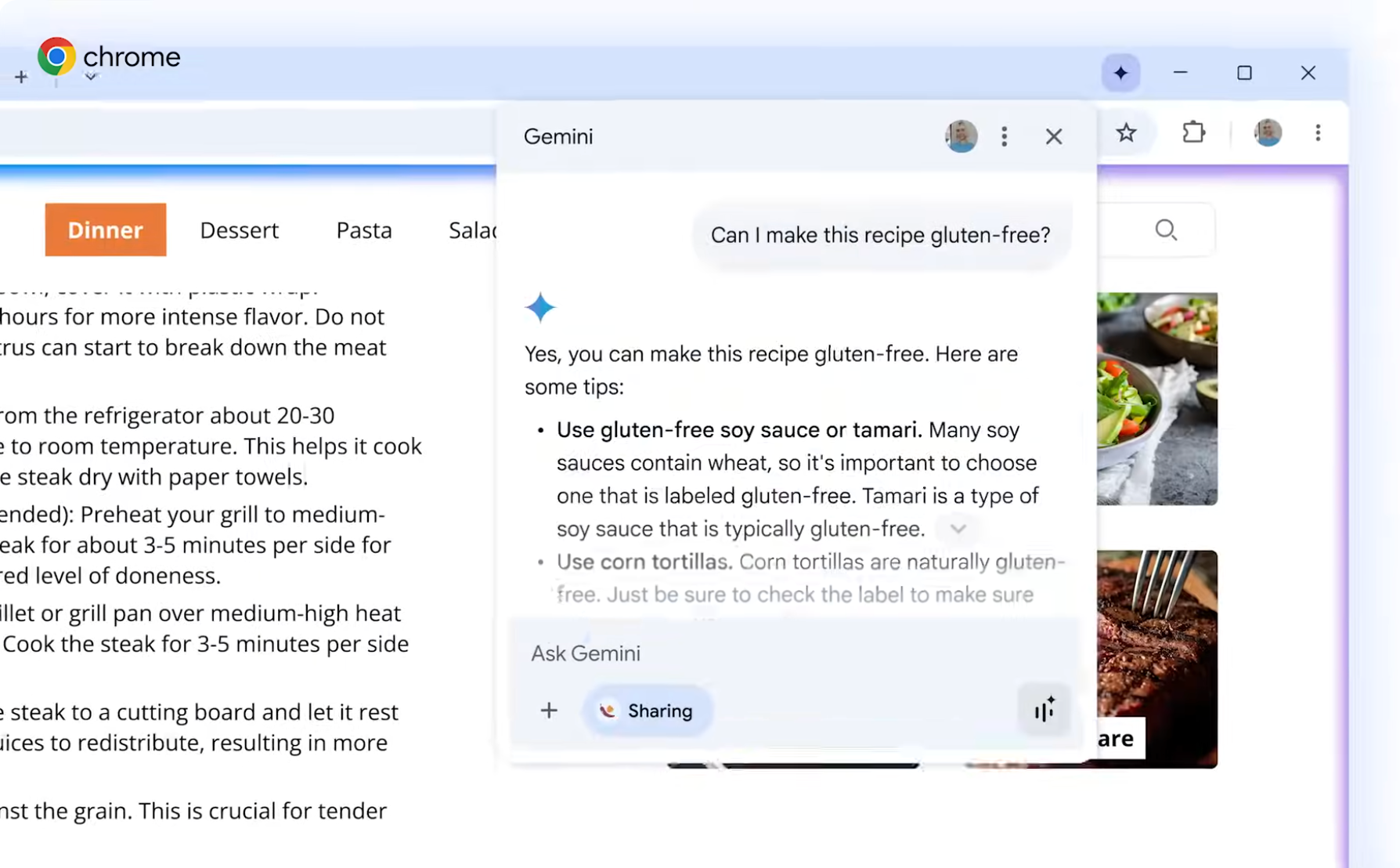
By granting the AI direct, privileged access to the browsing environment, AI browsers are capable of performing complex, multi-step operations that were previously impossible or required several extensions and manual steps.
To effectively manage these day-to-day tasks, these agents require a "multimodal" perspective — essentially seeing exactly what the user sees on screen. Furthermore, they rely on the webpage itself to provide instructions and context, allowing the AI to interpret and act on the site’s specific interface.
However, this same expanded capability and privileged access introduce a new and widened attack surface. This creates security implications that are not present in traditional browsers.
Fusing AI Into the Browser: Security Hazards
This shift in browser architecture creates a new, two-pronged security challenge. First, the highly privileged and interactive AI assistant introduces novel risks by potentially allowing attackers to issue commands to the browser core itself.
As we discussed in our previous article, a malicious webpage could instruct an AI to perform actions that would be blocked by a conventional browser's security model, via advanced prompt injection techniques. These actions include:
- Exfiltrating data
- Bypassing the same-origin policy (SOP)
- Triggering privileged browser functions
The AI acts as a new intermediary with overly broad access.
Secondly, the integration of a complex, new component like the AI side panel inevitably reintroduces classic, foundational browser security risks. By placing this new component within the high-privilege context of the browser, developers could inadvertently create new logical flaws and implementation weaknesses. This could include vulnerabilities related to cross-site scripting (XSS), privilege escalation and side-channel attacks that can be exploited by less-privileged websites or browser extensions, which is the focus of this analysis.
Extensions Security: Understanding the Threat Model
Browser extensions operate under a defined set of permissions, strictly governed by the browser’s security model. One of their functions is to interact with or modify content on webpages. These webpages are considered inferior to the extension itself in the browser's privilege hierarchy.
Crucially, the security architecture of modern browsers is designed with strong isolation mechanisms. An extension is explicitly restricted from interfering with or commanding another extension, as its execution environment is logically partitioned. Even more fundamentally, an extension is prevented from gaining unauthorized control over core, high-privilege browser-level components or processes.
This strict boundary is a core tenet of the browser's threat model, and for good reason. If extensions had the power to undermine their host (the browser), this would result in a severe security issue.
The Vulnerability in Gemini Live in Chrome
We discovered a vulnerability in Chrome’s new Gemini feature that could have directly undermined the threat model described above. We found that an extension with access to a basic permission set through the declarativeNetRequests API allowed permissions that could have enabled an attacker to inject JavaScript code into the new Gemini panel.
The capability of the declarativeNetRequests API allows extensions to intercept and change properties of HTTPS web requests and responses. This can be used for legitimate purposes, such as how AdBlock stops requests that could lead to privacy-undermining ads.
This capability is allowed by design, for extensions to intercept and influence the contents of hxxps[:]//gemini.google[.]com/app when the URL is loaded under an ordinary website tab. However, we found a security flaw in the ability to intercept and change properties of hxxps[:]//gemini.google[.]com/app when it’s loaded within the Gemini panel.
The difference matters: Intercepting and injecting JavaScript code into the Gemini web app when loaded via an ordinary tab is trivial and doesn’t grant access to special powers. However, when the Gemini app is loaded within this new panel component, Chrome hooks it with access to powerful capabilities. These include being able to read local files, take screenshots, access the camera and microphone and more, so the app could perform complex tasks. Being able to intercept it under that setting would have allowed attackers to gain access to these powers too.
This difference in what type of component loads the Gemini app is the line between by-design behavior and a security flaw. An extension influencing a website is expected. However, an extension influencing a component that is baked into the browser is a serious security risk.
Privilege Escalation: Camera, Files, Screenshots and More
This risk could have allowed attackers to run arbitrary code at hxxps[:]//gemini.google[.]com/app under the new Gemini browser panel. Being a privileged component of the browser itself, code running within the Gemini panel could access capabilities unavailable to the extension that injected the code initially.
In our report to Google, we demonstrated how an ordinary extension could hijack the Gemini panel and perform the following activities:
- Start the camera and microphone of the browser without asking for user consent
- Reach local files and directories of the underlying operating system
- Take screenshots of tabs showing any website that serves over HTTPS
- Hijack the panel into carrying out a phishing attack
Displaying phishing content in this manner is dangerous, because the Gemini side panel integrated into the browser is an otherwise trusted component. Of note, web content in a phishing layout is highly dangerous, given that the hijacked component (the Gemini panel) is a part of the browser. We could accomplish the above actions while requiring no user interaction, other than starting Gemini by clicking the Gemini button from the browser window's title bar.
Since the Gemini app relies on performing actions for legitimate purposes, hijacking the Gemini panel allows privileged access to system resources that an extension would not normally have.
Risk Averted: How Could This Have Turned Out?
Extension-based attacks are often not considered very interesting, given the prerequisites extensions generally require for their initial installation. This understanding is based on the context of conventional browsers. The evolution of browsers integrating AI presents additional risks that add more weight to how dangerous extension-based attacks can be.
In addition to this risk, the number of malicious extensions that attackers have deployed to web stores in recent years has grown. While these malicious extensions are often quickly removed, a substantial number of victims could install them before their removal. We have also seen legitimate extensions hijacked or sold to malicious actors who released new malicious versions to already installed endpoints.
Within an enterprise, a malicious extension gaining access to the camera, microphone and local files of workers is a real danger to the organization.
Timeline: From Discovery to Fix
Immediately after discovery, we responsibly disclosed this vulnerability to Google on Oct. 23, 2025. Google was able to reproduce the conditions to exploit the vulnerability, and issued a fix in early January 5m 2026.
Conclusion
This article describes a specific vulnerability and highlights the security gaps emerging from current efforts to integrate AI features into web browsers. While AI browsers or AI features implemented into existing browsers can improve the user experience, it’s important to continue monitoring for potential security flaws.
Palo Alto Networks Protection and Mitigation
Palo Alto Networks customers are better protected from the threats discussed above through the following products:
- Prisma Browser is designed to prevent extension-based attacks like the one uncovered in our research.
- Prisma Browser customers are better protected against general phishing threats mentioned in this blog with Advanced Web Protection (Live Page Scanning) feature enabled.
- Advanced Web Protection: We continuously monitor installed extensions for anomalous behavior, privilege abuse and runtime manipulation.
- Our dedicated browser security team identifies, analyzes and proactively mitigates new threats. We feed those protections directly into the product.
- Advanced URL Filtering and Advanced DNS Security customers are better protected against pages hosting malicious JavaScript.
If you think you may have been compromised or have an urgent matter, get in touch with the Unit 42 Incident Response team or call:
- North America: Toll Free: +1 (866) 486-4842 (866.4.UNIT42)
- UK: +44.20.3743.3660
- Europe and Middle East: +31.20.299.3130
- Asia: +65.6983.8730
- Japan: +81.50.1790.0200
- Australia: +61.2.4062.7950
- India: 000 800 050 45107
- South Korea: +82.080.467.8774
Palo Alto Networks has shared these findings with our fellow Cyber Threat Alliance (CTA) members. CTA members use this intelligence to rapidly deploy protections to their customers and to systematically disrupt malicious cyber actors. Learn more about the Cyber Threat Alliance.
Table of Contents
Related Malware Resources

 High Profile Threats

 Threat Actor Groups
 Threat Research






 Get updates from Unit 42